Building Moose: a network for independent fitness studios
Done
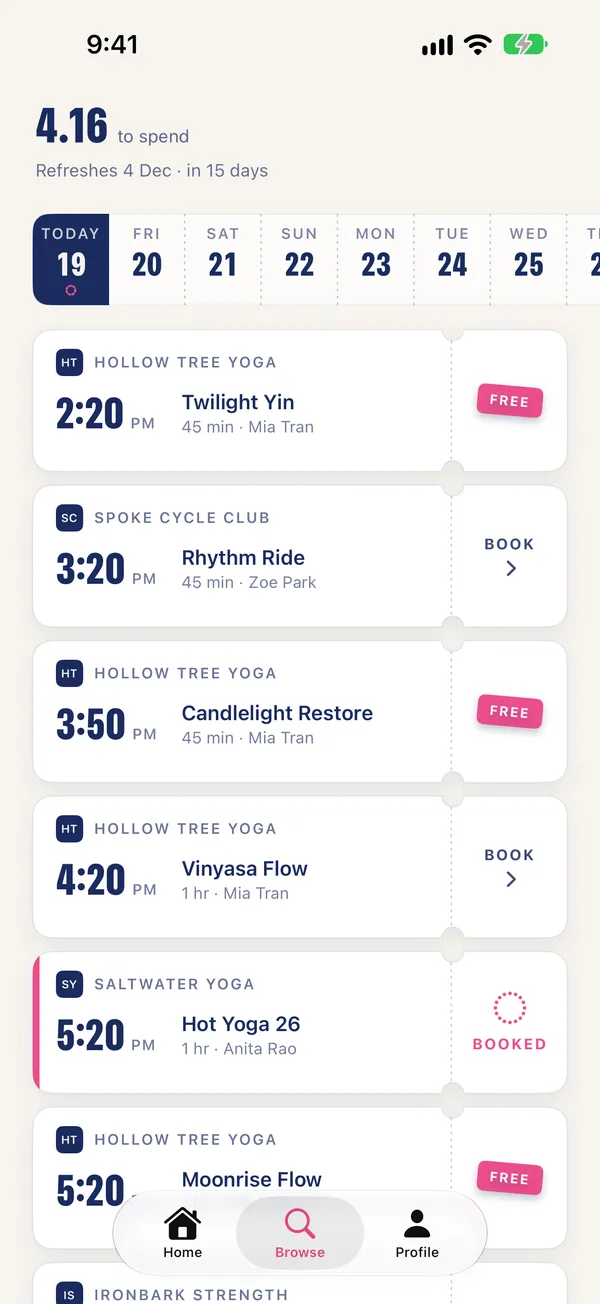
You’ve been going to the same yoga studio for two years. You love it, you’re on an unlimited membership, and you have no intention of leaving. But on Thursday you want a pilates class, and the pilates studio across town wants a $35 drop-in fee and a new account.
Most people in that spot do one of two things: skip it, or sign up to an aggregator. Neither is great for the studio they already love.
Moose is my attempt at a third option. This post covers what it is, how it works, and (further down, for the people who care) how it’s built.
Skip to Under the hood if you’re only here for the engineering.
The problem
Independent studios are good at the thing they do. A boutique reformer studio, a boxing gym, a hot yoga room: each one has a loyal community and a specific vibe that people pay a premium for.
What they can’t offer is variety. A member who wants to mix in a different kind of class has to go somewhere else, and “somewhere else” is usually either a competitor’s intro offer or an aggregator app.
Aggregators solve variety for the member, but the deal is rough for the studio:
- the aggregator owns the customer relationship, not the studio
- the studio gets paid a fraction of its normal rate per visit
- the studio’s own members can drift to whoever is cheapest that week
So studios end up choosing between losing members out of boredom and losing margin to a middleman.
The idea: studios partner with each other
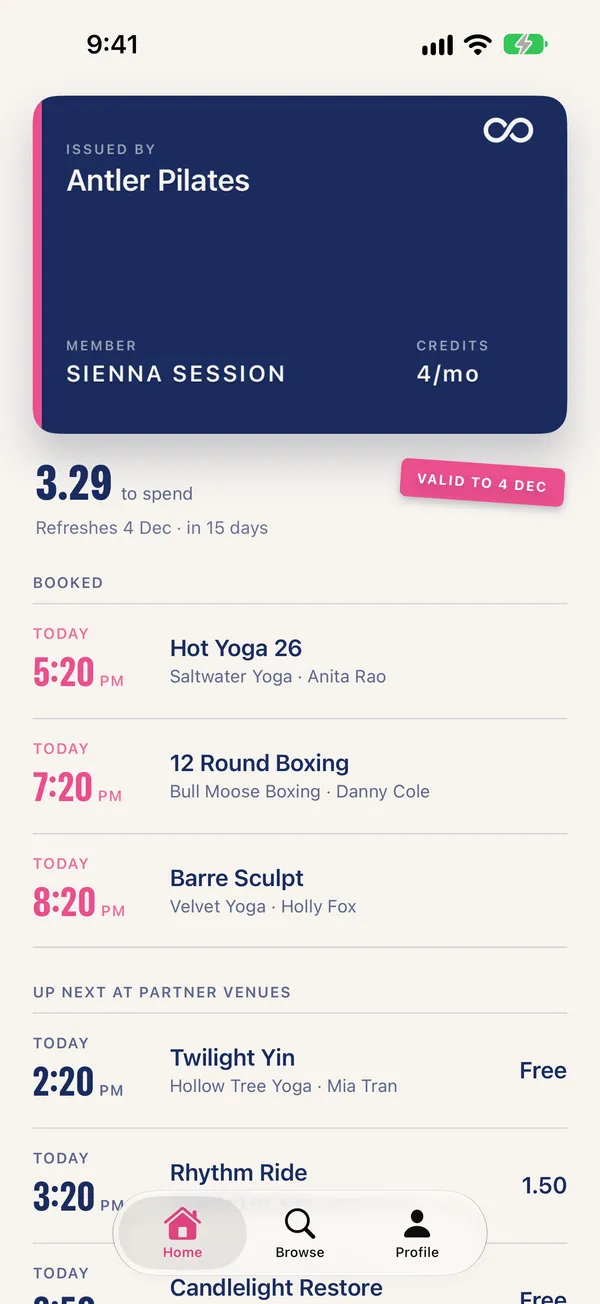
Moose lets independent studios form two-way partnerships with studios nearby. If my yoga studio partners with a pilates studio and a boxing gym, my members can book classes at both, and their members can book at mine.
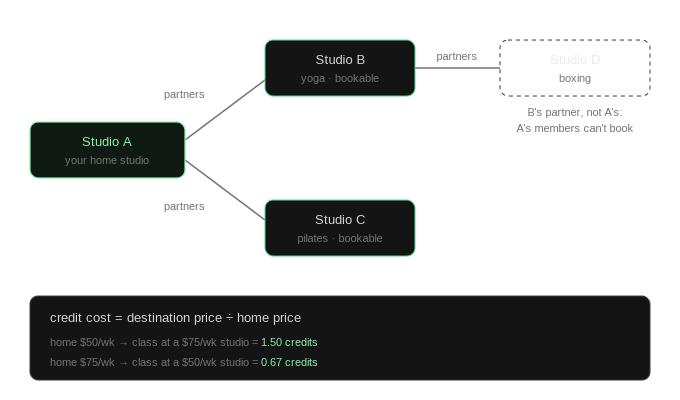
A few rules make the network fair:
- Partnerships are opt-in and bilateral. A studio invites another, and both have to agree. Either side can pause or end it.
- They don’t chain. Partnering with a studio doesn’t give you access to its partners.
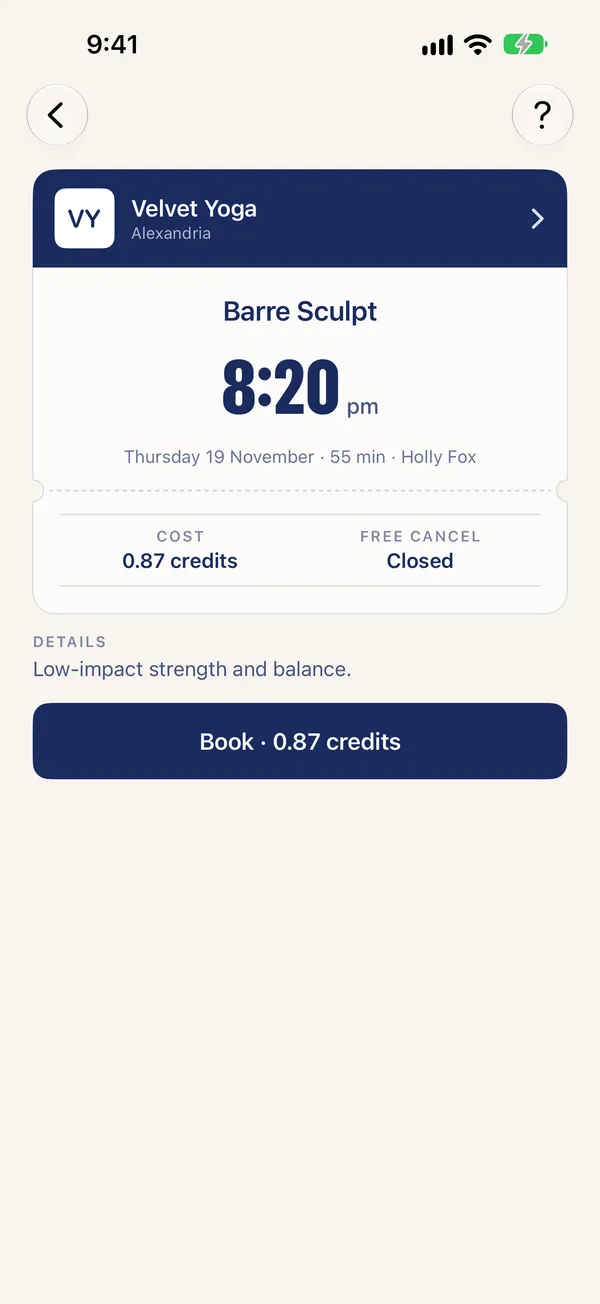
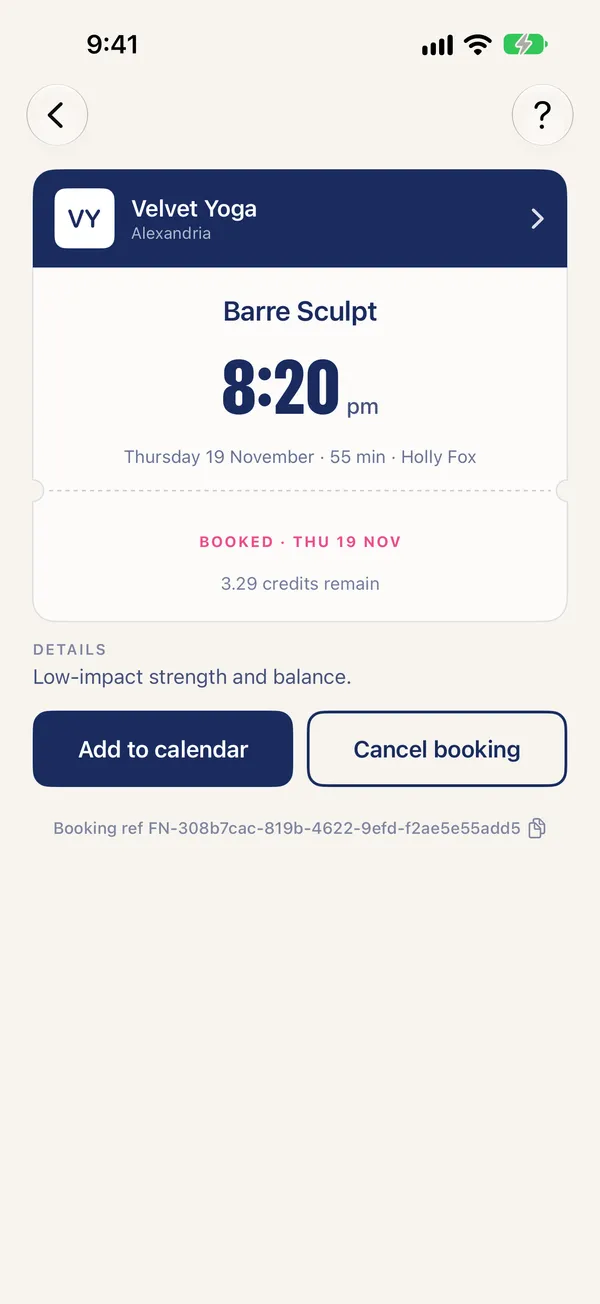
- Credits are weighted by price. Every member gets a small monthly allowance of credits. A class costs the destination studio’s weekly price divided by the home studio’s, so visiting a pricier studio costs more credits and visiting a cheaper one costs fewer. Nobody gets a free upgrade at someone else’s expense.
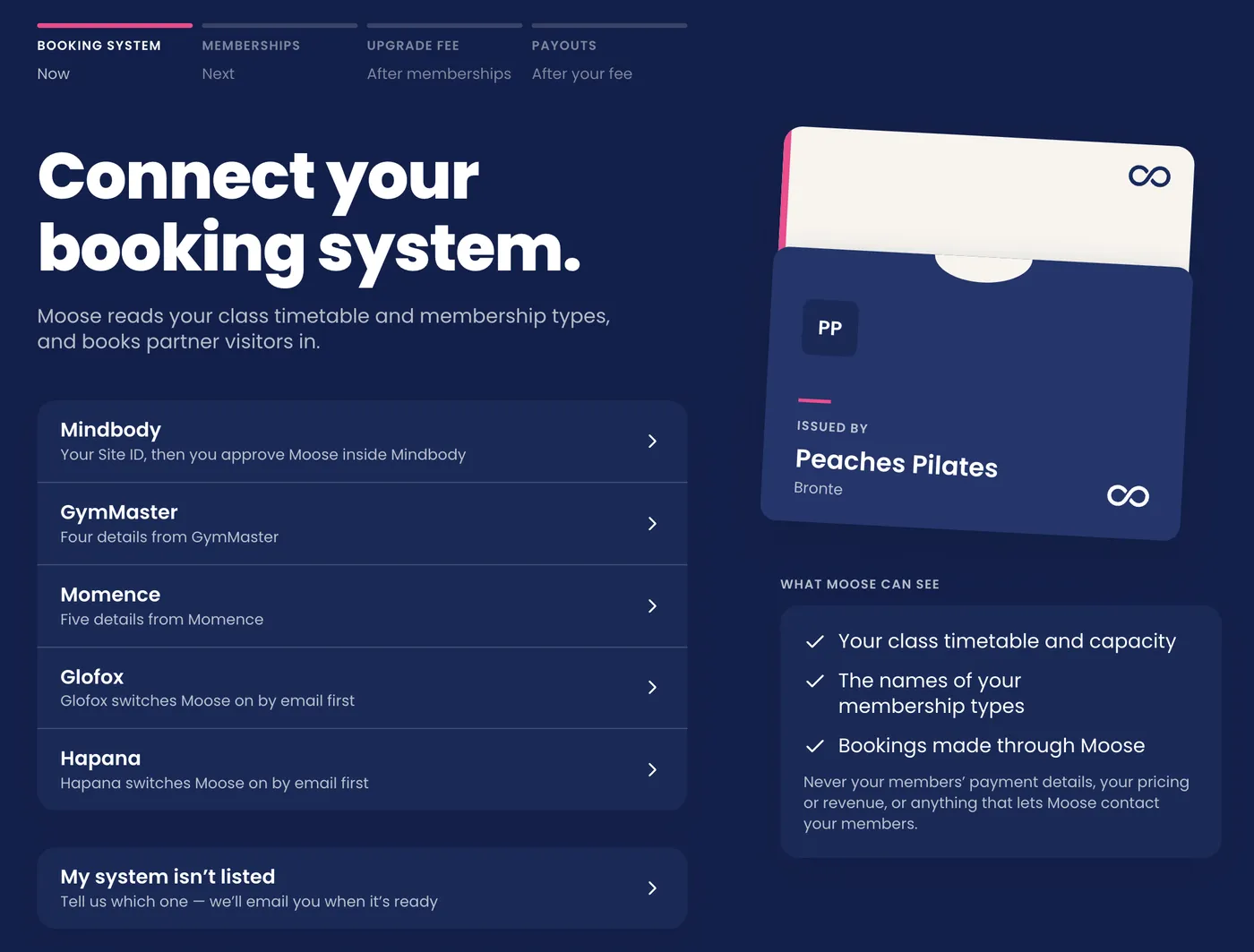
The studio’s own booking system (Mindbody, GymMaster and so on) stays the source of truth for who is a member. Moose never sells someone a membership. It reads the studio’s system to decide who has access to the network. If you cancel your membership at your home studio, your Moose access goes with it.
What a studio actually gets
This is the part I got wrong first.
My original pitch to studios was “fill your empty spots with visitors from partner studios”. That sounds great, but it’s not what a studio owner lies awake worrying about. Most popular classes are already full, and the empty ones are empty for a reason.
What they do worry about is members leaving. A member who gets bored and cancels is worth far more than a few drop-in visits. So the pitch became:
Give your members variety without them leaving you, and give them a reason to stay on (or move up to) the membership tier that includes it.
That changed what Moose measures. Instead of seat-fill, Moose now tracks retention: do members who use Moose stick around longer than those who don’t, and do they move up to a higher tier? Studios bundle Moose into the tiers they choose, so it becomes a reason to be on those tiers.
How it makes money
Studios set which of their membership tiers include Moose, and which tiers can buy it in the app as an add-on. The in-app purchase runs through Stripe, and the studio’s share is paid out to them automatically. For included tiers, the studio pays Moose a small weekly fee per member who has access.
The money stays simple on purpose: one ledger for credits, one mirror of Stripe for member subscriptions, and one record of what each studio was invoiced. Nothing else holds money.
Under the hood
From here on it’s the engineering. The short version: one TypeScript API service, a Postgres database that does more than you’d expect, a background job runner, and integrations with five different studio booking systems.
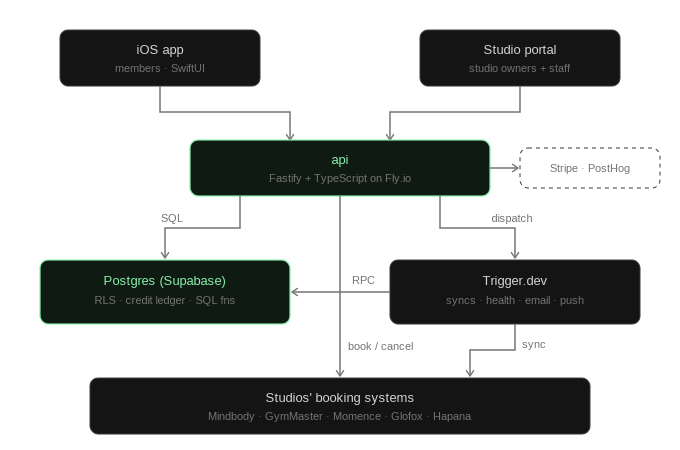
| Layer | What | Why |
|---|---|---|
| Member app | Native iOS (SwiftUI) | Booking is a phone thing |
| Studio portal | Web app | Owners and staff work at a desk |
| API | Fastify + TypeScript on Fly.io | One place for every HTTP route |
| Database | Supabase Postgres + PostGIS, row-level security everywhere | The rules that matter live next to the data |
| Background jobs | Trigger.dev | Syncs, health checks, emails and pushes, with retries and a dashboard |
| Analytics | PostHog | Product analytics, without touching the money path |
Three parts were harder than they look.
1. Five booking systems that all disagree
Every studio already runs a booking system, and Moose has to talk to whichever one it uses. Today that’s Mindbody, GymMaster, Momence, Glofox and Hapana. They disagree on almost everything:
- Auth. Some give Moose one key for every studio. Some issue a key per studio. One uses OAuth tokens that rotate on every refresh.
- What a “membership” is. A class pack, a trial and a $0 visitor tier can all look like a membership if you read the API naively.
- What a “booking” does. Some refuse a booking when the class is full. At least one happily accepts a booking into a full class. One has no booking API at all.
The fix is a narrow seam. Every vendor implements the same small interface, and the booking service never knows which vendor it’s talking to:
interface CrmBookingAdapter {
  // Does this system refuse a full class itself?
  readonly enforcesCapacity: boolean;
  // No booking API: Moose holds the seat and emails the studio.
  readonly studioHeld?: boolean;

  readLiveAvailability?(connection, session): Promise<LiveAvailability>;
  ensureGuestIdentity(connection, member, cachedId): Promise<string>;
  placeBooking(connection, clientId, sessionId): Promise<BookingResult>;
  cancelBooking(connection, clientId, sessionId, bookingId): Promise<CancelResult>;
}
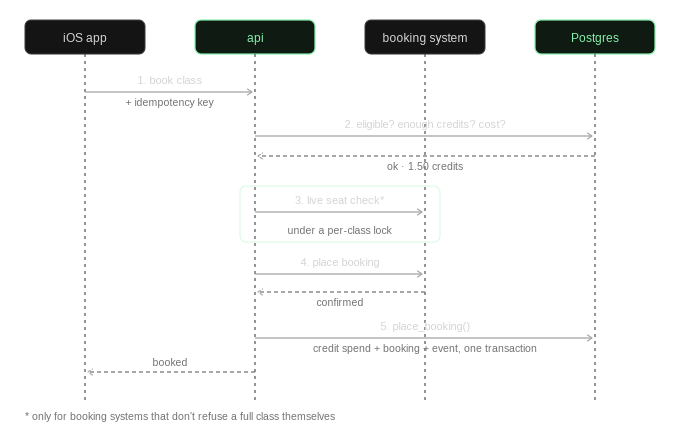
Those two flags carry most of the vendor weirdness. If a system doesn’t enforce capacity, Moose reads the class live before booking, under a per-class lock, so two members can’t both grab the last spot. If a system has no booking API at all, Moose holds the place itself and emails the studio so staff can add the visitor.
Timetables and memberships come the other way, through scheduled syncs. A full sync runs every six hours. A lighter one runs every 30 minutes, only for studios with an upcoming Moose booking, so a cancelled class gets noticed in time to refund the member and tell them.
2. All the money goes through one SQL function
Credits are money-like, so I treat them that way.
- There’s no balance column. Every credit movement (allocation, spend, refund, rollover, expiry) is an immutable row in a ledger. Your balance is the sum.
- Prices are snapshotted. Each booking records both studios’ prices at the time it was made. If a studio changes its price next month, last month’s bookings don’t change.
- Every booking commits through one function.
place_booking()does the whole thing in one transaction:
-- place_booking(), simplified
-- 1. If this idempotency key was already used, return that booking (safe retries)
-- 2. Lock the member and re-check the balance inside the transaction
-- 3. Insert the credit spend into the ledger
-- 4. Insert the booking, with both studios' prices snapshotted
-- 5. Write a booking event for analytics and audit
Because the rules live in SQL rather than the API, they hold however a booking arrives. The API can be redeployed or rewritten without the money rules changing. Tests run the same cases against the SQL formula and its TypeScript twin, so the price the app shows and the price you’re charged can’t drift apart.
3. Knowing when an integration quietly breaks
The scary failures aren’t the loud ones. They’re the ones where everything looks fine.
Early on, one studio’s booking system started refusing our membership lookups while its timetable syncs kept working. The connection had one health counter, every successful timetable sync reset it to zero, and so nothing flagged it for hours.
Now health is tracked per check: credentials, classes, memberships and member records are each counted separately. A failure needs three strikes in a row before anyone is told, which filters out blips. Each failure is also classified by who has to act:
| Failure | Who fixes it | Who hears about it |
|---|---|---|
| Bad or revoked credentials, missing permission | The studio | The studio, by email, plus the portal |
| Vendor outage | The vendor | The portal only (no point emailing the studio) |
| Our configuration | Us | Our ops Slack channel |
The same per-check results drive the studio portal’s booking system screen, so the studio sees exactly what we see.
Lessons
- Deleted from the repo isn’t the same as undeployed. When I moved off serverless edge functions onto one API service, I deleted the old functions’ source. Months later I found they were all still deployed and still answering requests, against a database that had moved on. Removing code doesn’t remove what’s running; you have to undeploy it on purpose.
- Config that doesn’t ship with your migrations will bite you. Auth email templates live in a config file that a database deploy doesn’t push. Prod sent default Supabase emails until the release workflow learned to push config too.
- One counter for “is it healthy” hides partial failures. Count each thing you depend on separately.
- Find out what your customer is actually buying. I spent weeks optimising for seat-fill before realising studios were buying retention.
Where it’s at
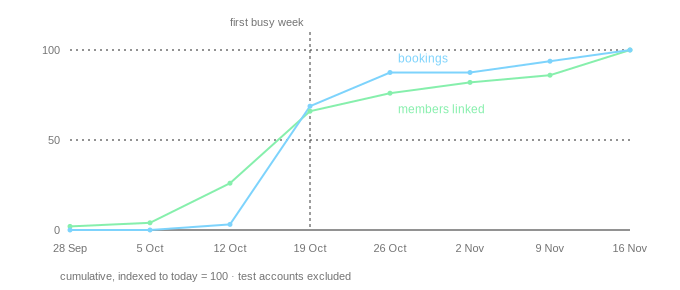
Moose is live on the App Store. Studios are onboarding in pairs, so each one launches with a partner already in place. Next up: getting those first partnerships to the point where the retention numbers say something.
If you run a studio and this sounds interesting, have a look at trainmoose.com or get in touch.